
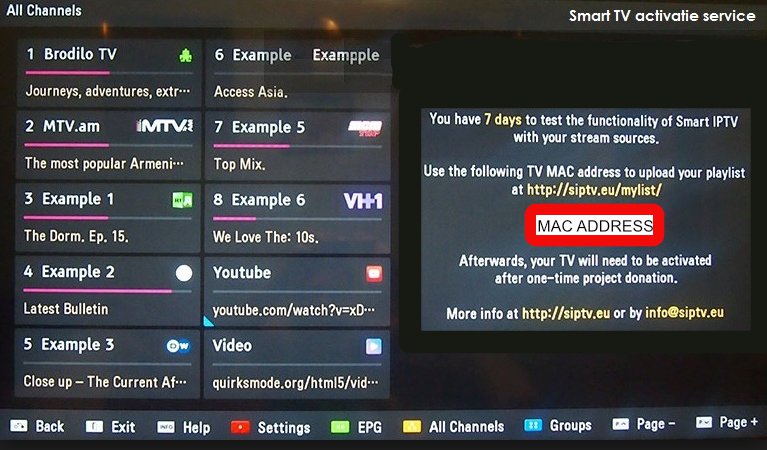
Step 1= Download the app and open it
Step 2= Note the “mac” address on your screen, as shown in the photo
Note= If the “mac” address does not appear on the screen, you can find it in the settings section by pressing the red button on your remote control.

Step 3= Then go to the “playlist” loading screen that clicks the link here
Step 4= Type your mac address and m3u plus link in order as shown in the picture
Note= You can delete the previous playlist from the playlist deletion section at the bottom.

Step 5= Click Save and Restart your application.
Note= Do not press any buttons on your remote control until the loading screen on the screen is over


Здравствуйте, ввела первый из рекомендованных Вами порталов, перезагрузила. Теперь вижу черный экран. Предложение изменить адрес портала больше не появляется. Что делать в таком случае?
Проблема с используемой вами трансляцией iptv. Если хотите, могу дать вам тест из наших публикаций. Скачиваем и пробуем. Свяжитесь с нами через WhatsApp.